OOCL Tracking |Track Your Container, BL & Cargo Status Online

How to Track a OOCL Tracking on AllCouriersTracking
Track your shipment in three easy steps:
- Enter your Tracking Number or B/L Number.
- Click the “Track Now” button.
- Get instant access to the most recent tracking updates, shipment status, and current location..
If you are waiting for an OOCL shipment and need to know exactly where it is right now, you are in the right place. This guide explains how OOCL tracking works, what your tracking number looks like, how to read every status update, and what to do when something looks wrong.
What Is OOCL and Why Does Tracking Matter?
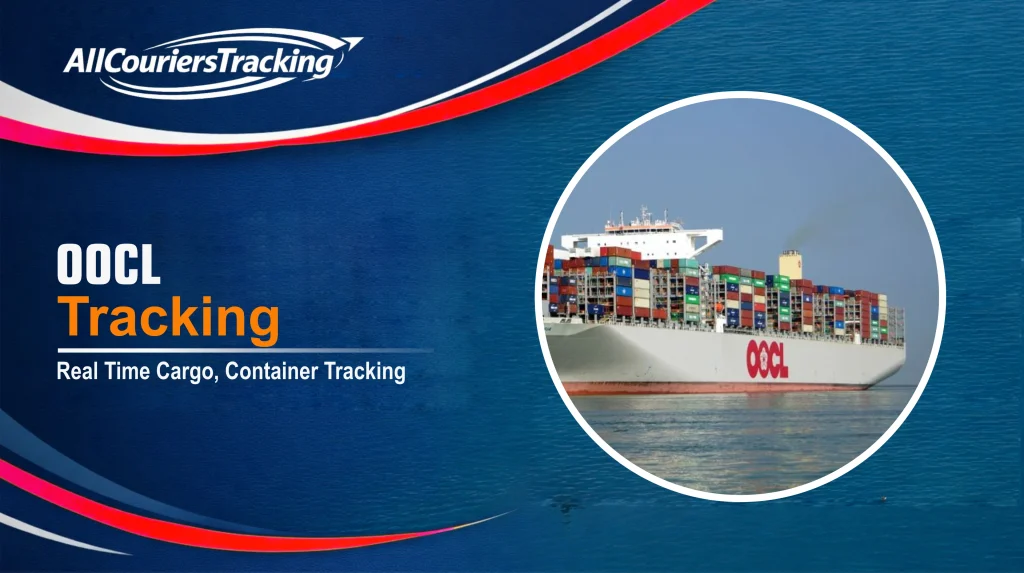
OOCL stands for Orient Overseas Container Line. Founded in 1969 by C.Y. Tung, OOCL is one of the largest container shipping companies in the world. Today it operates a fleet of more than 100 vessels, serves over 70 countries, and runs approximately 78 weekly services across major global trade routes including Asia-Europe, Trans-Pacific, Asia-Middle East, and Intra-Asia lanes.
In 2018, OOCL became a subsidiary of COSCO Shipping Holdings, a Chinese state-owned shipping group. Despite this, OOCL continues to operate under its own brand with its own tracking systems, vessel fleet, and customer portal.
Because OOCL containers travel across multiple ports, vessels, and terminals – sometimes with transshipment stops in Singapore, Hong Kong, or Rotterdam – oocl container tracking is the only reliable way to know where your cargo is at any given point.
Your OOCL Tracking Number – What It Looks Like
Before you can track anything, you need the right reference number. OOCL supports three types:
1. Container Number This is an 11-character code following the ISO 6346 standard four letters, followed by seven digits. Most OOCL containers use the prefix OOLU (standard dry containers) or OOCU (refrigerated or reefer containers). For example: OOLU1234567 or OOCU7654321.
You can find the container number on:
- Your Bill of Lading (BL) document
- The booking confirmation email from OOCL or your freight forwarder
- Printed on the physical container door or side panel
2. Bill of Lading (BL) Number For oocl bl tracking, you need the Master B/L number issued by OOCL. It starts with the prefix OOLU followed by 8 to 12 alphanumeric characters. This is the most common reference for importers who do not handle containers directly.
3. Booking Reference If your shipment has not yet been loaded, you can use the booking number provided at the time of reservation. This allows early-stage tracking before the container physically arrives at the terminal.
Important tip: If your tracking returns “No Records Found,” the most common reason is a typo particularly confusing the letter O with the number 0, or the letter I with the number 1. Always double-check your input against the original shipping document.
How to Track OOCL Shipments in 3 Steps
Tracking your OOCL shipment takes less than a minute:
- Get your reference number: container number, BL number, or booking reference from your shipping documents or freight forwarder.
- Enter it into the tracking field above and click “Track Now”
- Read your results: you will see the current status, last port recorded, vessel name, and estimated time of arrival (ETA)
For oocl track and trace using the official OOCL portal, you can also visit oocl.com directly and enter your reference there. Registered users on the My OOCL Center (MOC) platform get additional features like D&D (demurrage and detention) alerts and predictive ETA notifications.
OOCL Tracking Status Messages -What Each One Means
OOCL uses some of the most detailed event labels in the shipping industry. Here is what every status actually means in plain language:
| OOCL Status | What It Means |
|---|---|
| Booking Confirmed | OOCL has your reservation. The empty container has not reached the terminal yet. No tracking events will show until Gate In. |
| Full Container Received by Carrier at Origin | The container entered the export terminal gate. This is the first physical tracking event sometimes called “Gate In.” |
| Loaded on Board at First Port of Load | Your container is on the vessel and sailing. This is a major milestone confirming the shipment made its planned sailing. |
| Departure from Port of Load | The vessel has left the origin port. Transit time begins now. |
| Discharged at Port of Transshipment | The container was offloaded at a mid-route hub (e.g. Singapore, Hong Kong, Colombo) and is waiting for its connecting vessel. |
| Loaded on Board at Port of Transshipment | The container has been loaded onto the second vessel at the transshipment port. Journey continues. |
| Arrived at Port of Discharge | The vessel has arrived at your destination port. Discharge operations are about to begin. |
| Discharged from Vessel at Last Port of Discharge | The container has been lifted off the vessel and placed in the terminal yard. Customs clearance and delivery order processing happen next. |
| Gate Out Full | The container has left the destination terminal usually collected by a road haulier after customs clearance. Cargo is on its way to the consignee. |
| Empty Returned | Final event. The empty container has been returned to an OOCL depot, closing the tracking cycle for this voyage. |
Why Is My OOCL Tracking Not Updating?
This is the most common concern for anyone using oocl cargo tracking, and the explanation is almost always straightforward.
Gap during ocean transit: Between the “Loaded on Vessel” event and arrival at the next port, there are no intermediate scan points. A container sailing from Shanghai to Rotterdam takes 25-35 days, and the tracking page will appear frozen for most of that period. This is completely normal.
Transshipment wait: If your cargo routes through a hub like Singapore or Hong Kong, the container may sit in the terminal yard for 48-72 hours before being loaded onto the connecting vessel. The gap will close once the next “Loaded” event fires.
System sync delay: Even when a physical event occurs at a terminal, it can take 2-8 hours before it appears on tracking portals. If you are expecting an update that has not shown up yet, wait a few hours before raising an alarm.
Stuck at “Discharged” for multiple days: This usually indicates a customs examination, a documentation issue, or unpaid demurrage charges. Contact your customs broker or freight forwarder immediately.
No data at all: The container may not have reached the terminal yet. OOCL tracking only begins after the first physical Gate In event is recorded.
OOCL Trade Routes and Transit Times
Knowing the typical transit time for your route helps you set realistic expectations:
- Asia to US West Coast (Trans-Pacific): 12-18 days
- Asia to US East Coast (via Panama Canal): 25-35 days
- Asia to North Europe (Asia-Europe): 25-35 days
- Asia to Mediterranean: 28-38 days
- Asia to Middle East / Gulf: 10-18 days
- Intra-Asia routes: 3-10 days
OOCL is also a member of THE Alliance alongside Hapag-Lloyd, Yang Ming, and Ocean Network Express (ONE). This means some shipments booked with OOCL may physically travel on vessels operated by these partner lines, which is normal and does not affect your tracking.
For shipments routed through Hong Kong, oocl hong kong tracking updates are particularly important Hong Kong is a major OOCL transshipment hub, and updates there often signal the next leg of the journey is about to begin.
Frequently Asked Questions
What is OOCL tracking?
OOCL tracking is the process of monitoring the real-time location and status of your container or cargo shipped with Orient Overseas Container Line. You can track using a container number, Bill of Lading number, or booking reference.
What does my OOCL container number look like?
An OOCL container number has 11 characters four letters followed by seven digits. Standard containers use the prefix OOLU (for example, OOLU1234567) and refrigerated containers use OOCU. You can find this number on your Bill of Lading or booking confirmation.
How do I track my OOCL shipment using a BL number?
Enter your Master Bill of Lading number – which begins with OOLU followed by 8 to 12 alphanumeric characters into the tracking tool above and click Track Now. The system will show you all events linked to that BL, including all associated containers.
Why is my OOCL tracking showing no updates for several days?
During ocean transit, containers do not generate tracking events. A shipment sailing from Asia to Europe can show no new updates for 2-3 weeks. This is normal. Updates appear at major port milestones: gate in, vessel loading, transshipment, arrival, and discharge.
What is the difference between container number and BL number tracking?
A container number tracks one specific box. A BL number can track multiple containers under one shipment. If you are managing several containers on the same booking, BL tracking gives a combined view. Container-level tracking gives more precise location details per box.
Can I track OOCL shipments on mobile?
Yes. OOCL has an official mobile app available for iOS and Android. You can also use this page on any mobile browser enter your reference number and get results without installing anything.
What should I do if my OOCL tracking shows no result?
First, double – check for typos particularly confusing O with 0 or I with 1. Second, confirm with your freight forwarder that the container has actually been gated in at the export terminal. Tracking data only appears after the first physical event is recorded at the origin port.
Final Thoughts
Global shipping is complex, but information does not have to be confusing. OOCL tracking gives clarity to long journeys by turning movement into understandable updates.